
Assembly guide
How to build a Shellphone from the kit, step by step. It takes about an hour, most of it soldering.
When it's built, continue with Wi-Fi setup.
What's in the kit
- Raspberry Pi Zero W or Zero 2 W (both work), with its 40-pin header
- Pre-flashed microSD card (the software is already on it)
- Snail audio board (the blue PCB)
- 2×20 female socket (for the Pi) and 1×7 female socket (for the amplifier)
- MAX98357A amplifier, with a 7-pin male header and a 2-pin screw terminal
- 2 × 470 Ω resistors
- 2 × 5 mm LEDs (the snail's antennas)
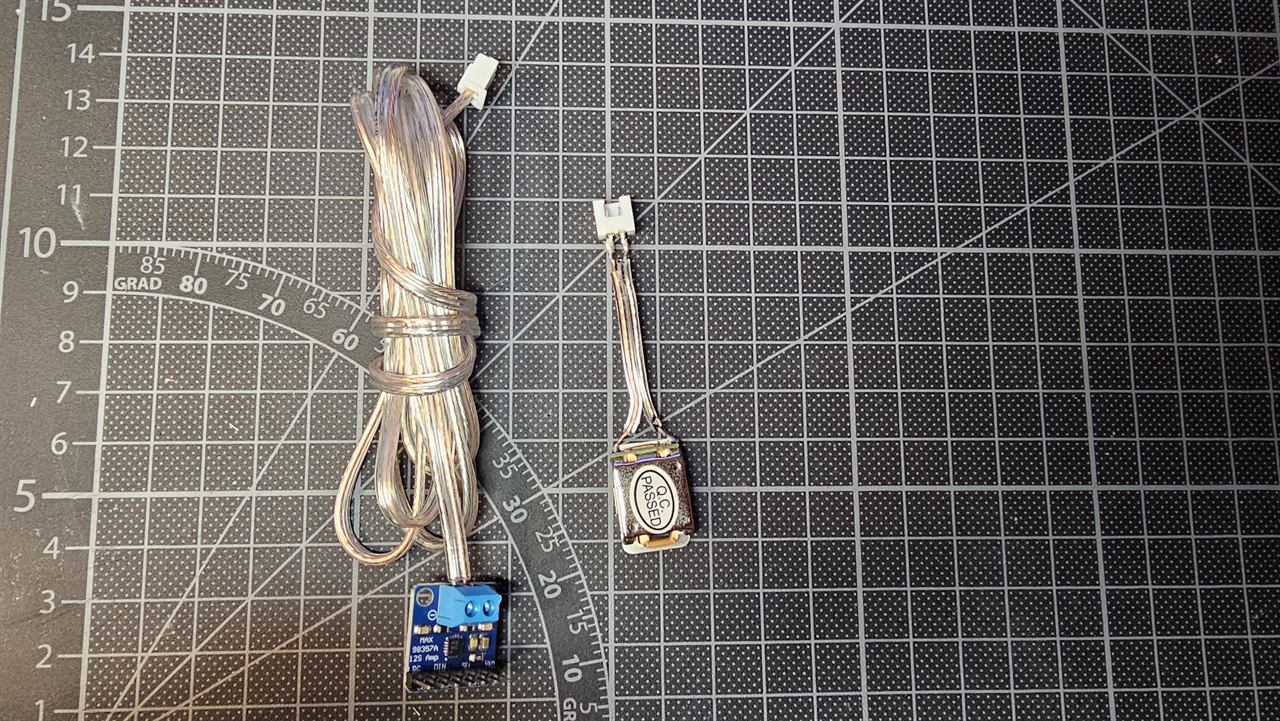
- Bone-conduction transducer, speaker cable with a white 2-pin plug
- 5 V micro-USB power supply
You also need: a soldering iron and solder, side cutters, a small screwdriver, a hot glue gun, and a shell. Any shell works.
The full parts list is in the Bill of Materials.
The two sides of the board
The snail board has two sides, and it matters which part goes where:
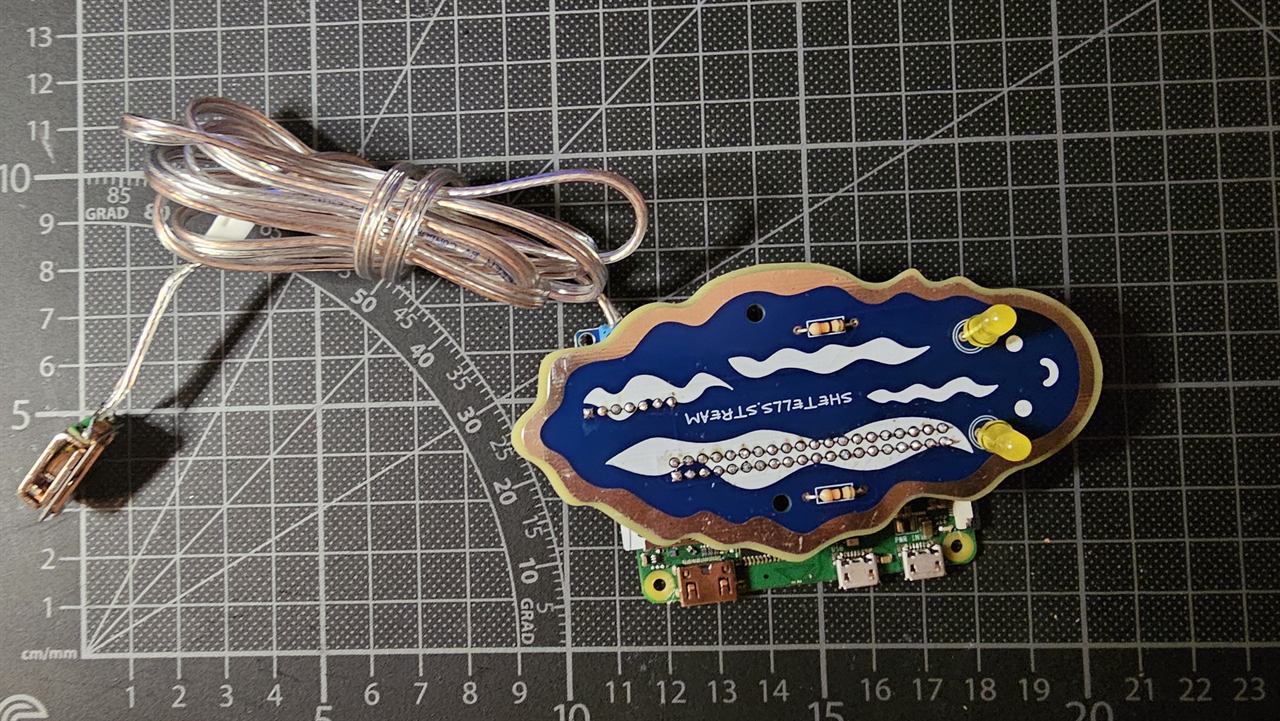
- Top: the snail drawing and the text SHETELLS.STREAM. Resistors and LEDs go on this side.
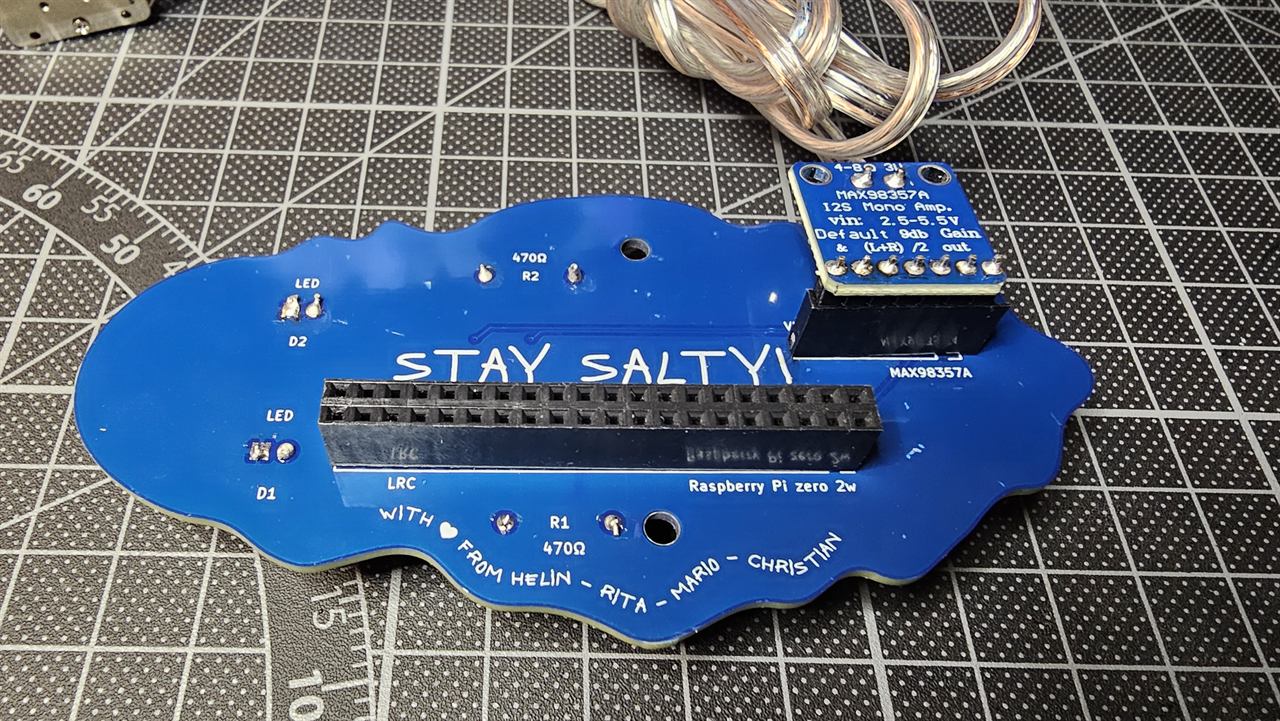
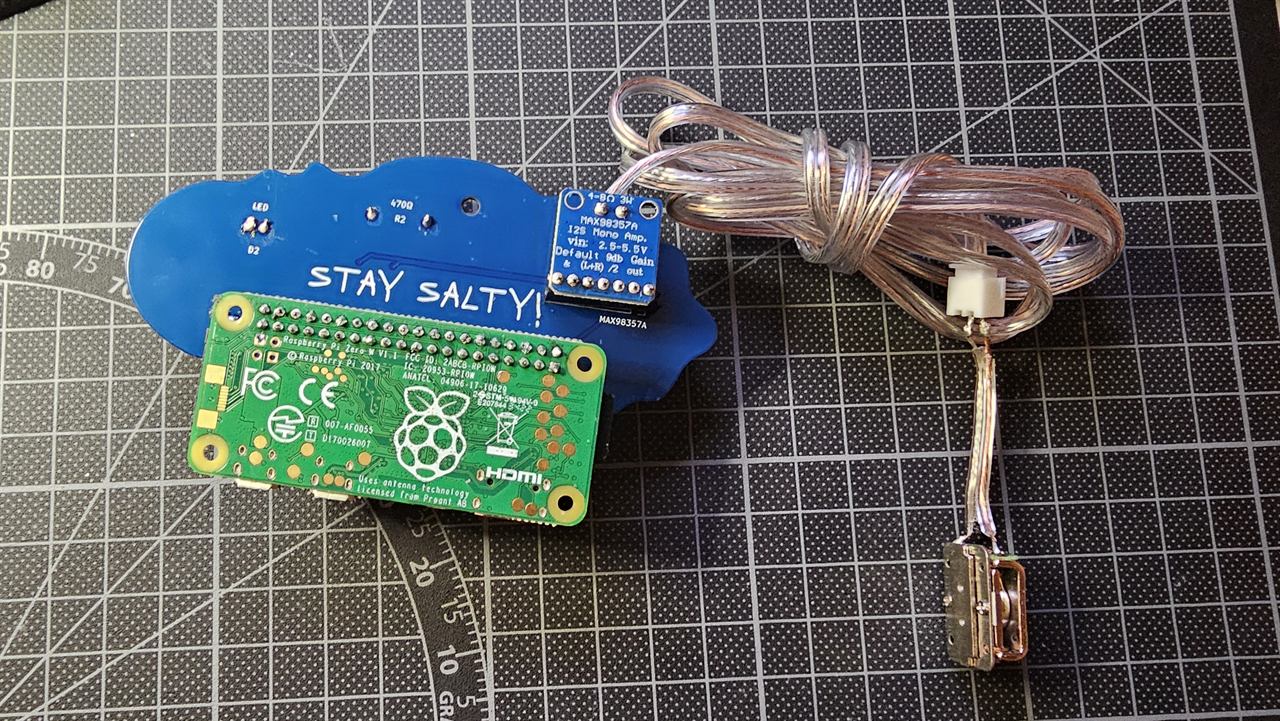
- Bottom: the text STAY SALTY!. The two sockets go on this side, and the Raspberry Pi plugs in from here.
Every part is pushed through from one side and soldered on the other side.
Step 1: Check the Raspberry Pi
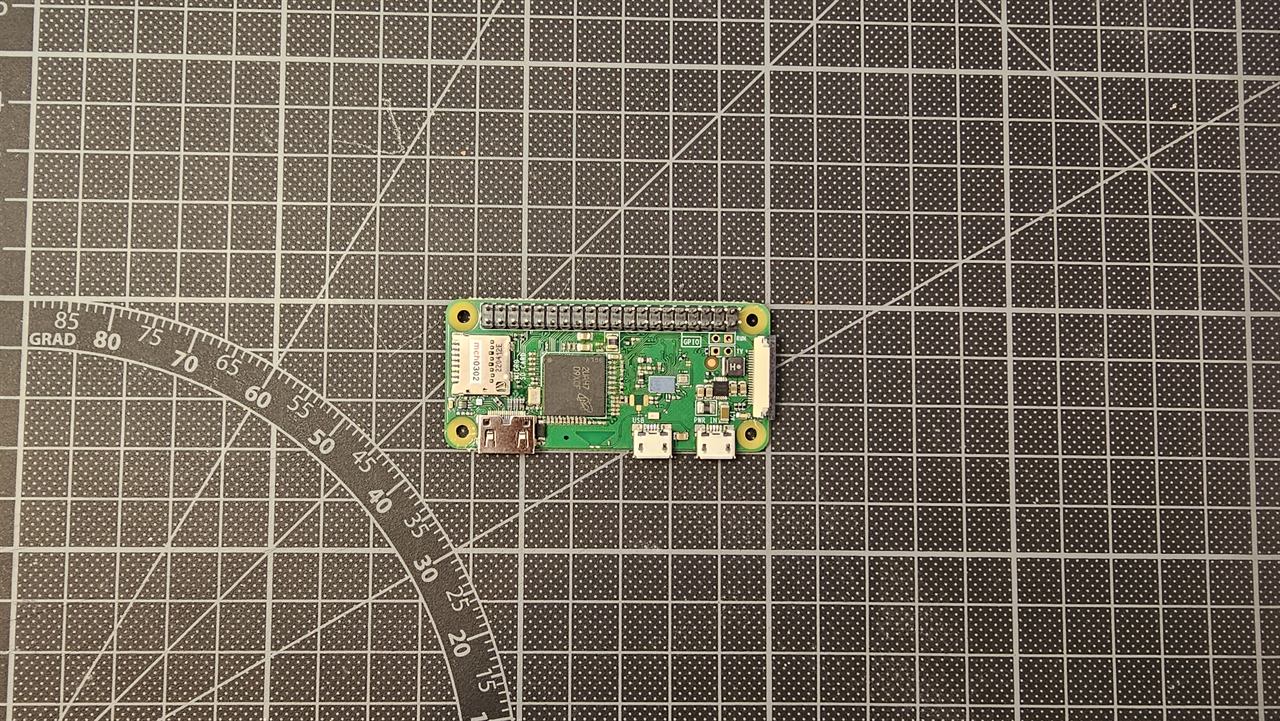
The Pi needs its 40-pin header (the double row of pins). If your Pi came without one, solder the 2×20 male header onto it first, with the pins pointing up on the side with the chips.
Step 2: Solder the Pi socket
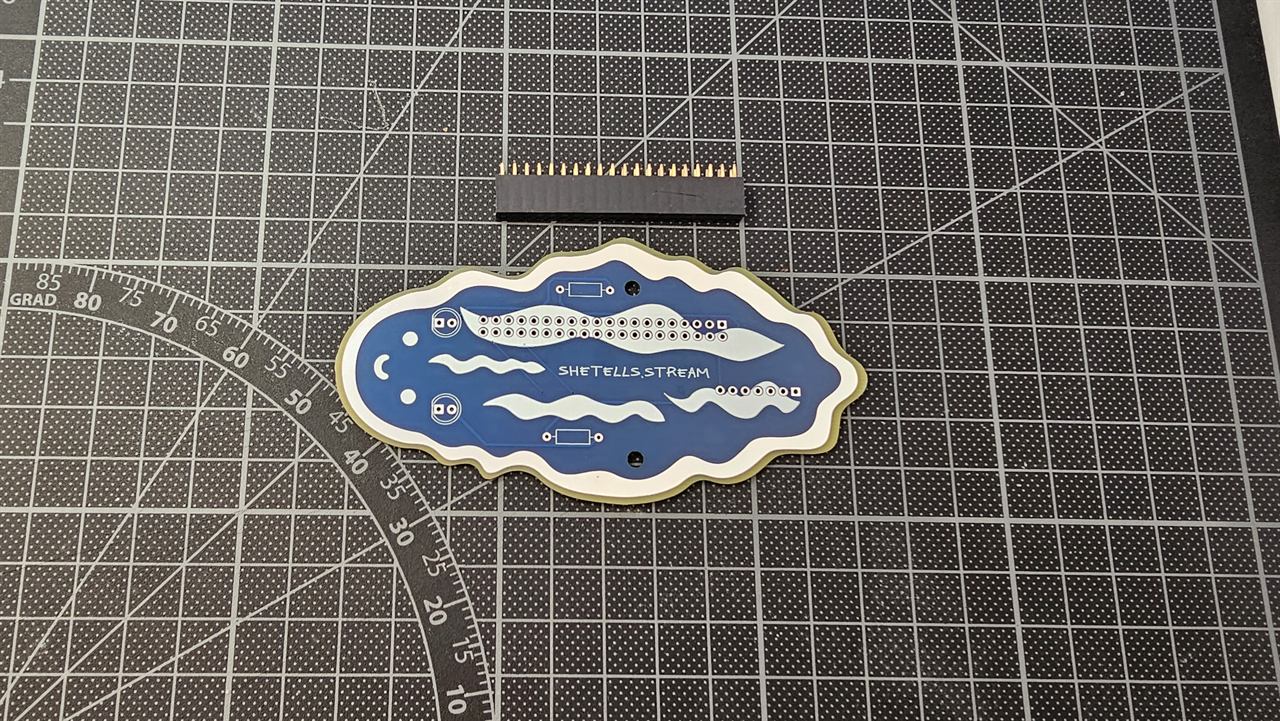
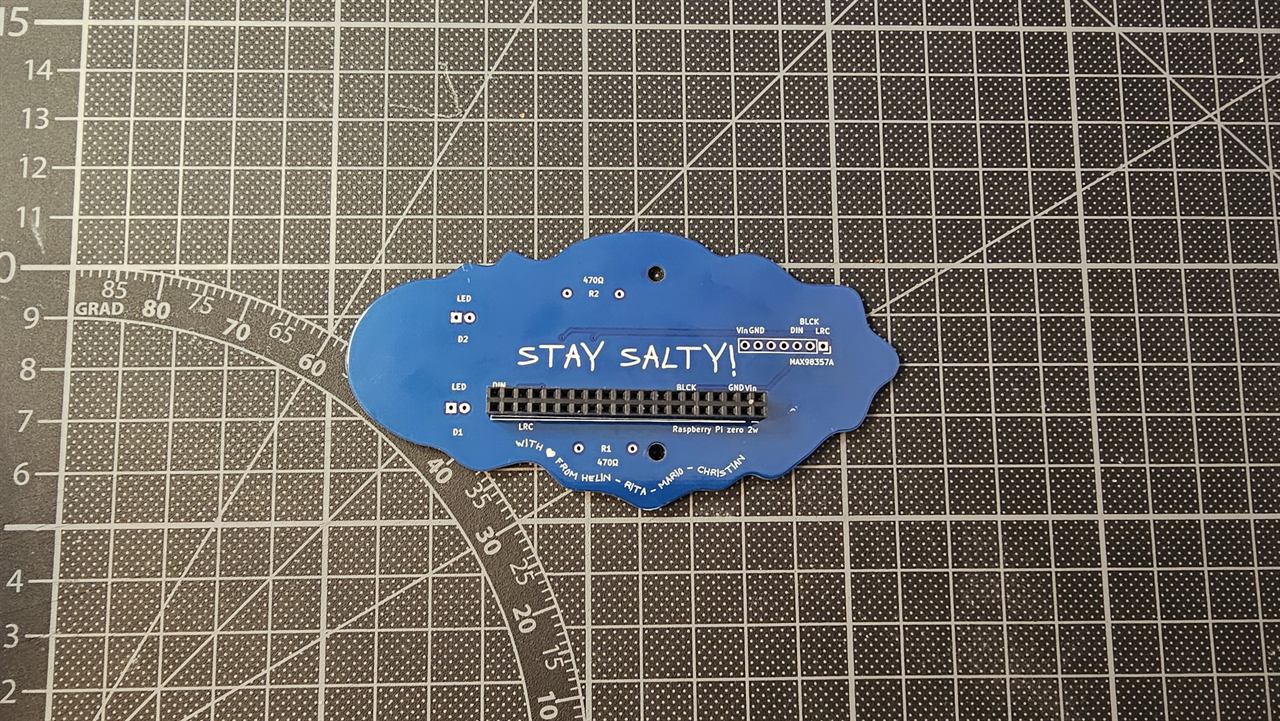
- Push the long 2×20 female socket into its holes from the bottom (STAY SALTY!) side. It goes on the outline labelled Raspberry Pi zero 2w.
- Turn the board over and solder all 40 pins on the top side.
Tip: solder one pin at each end first, check that the socket sits flat and straight, then solder the rest.
Step 3: Solder the amplifier socket
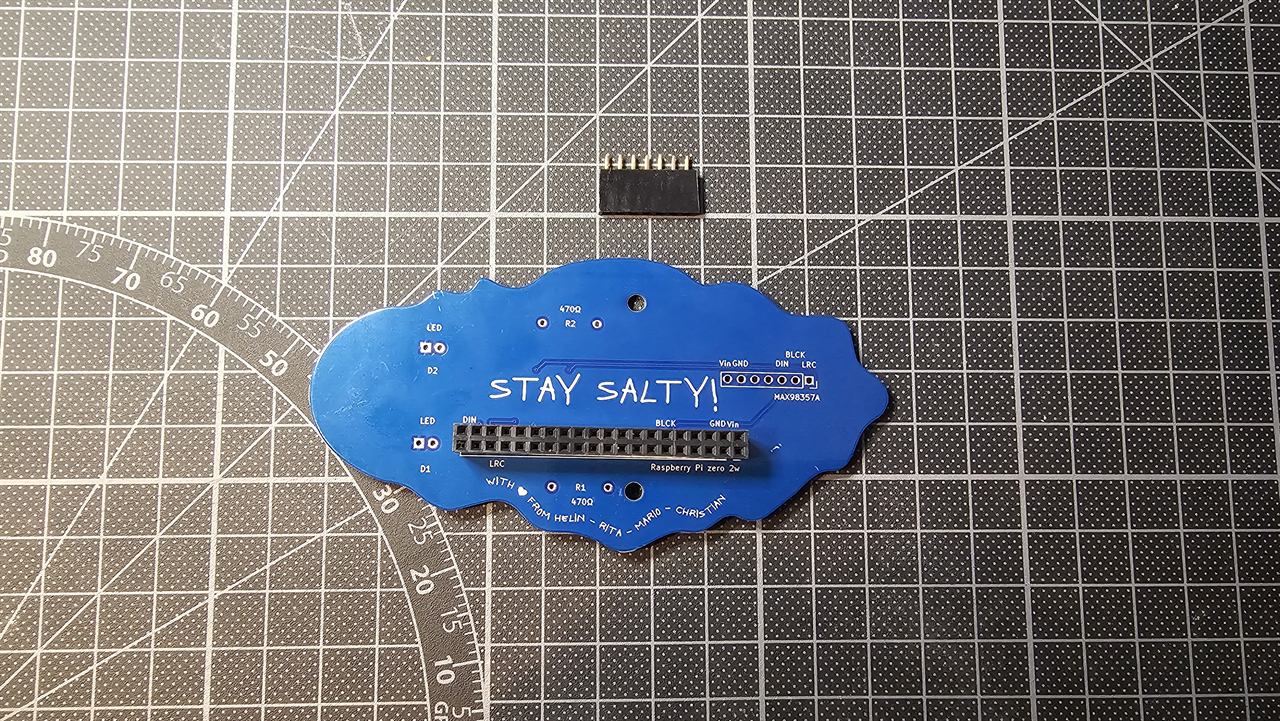
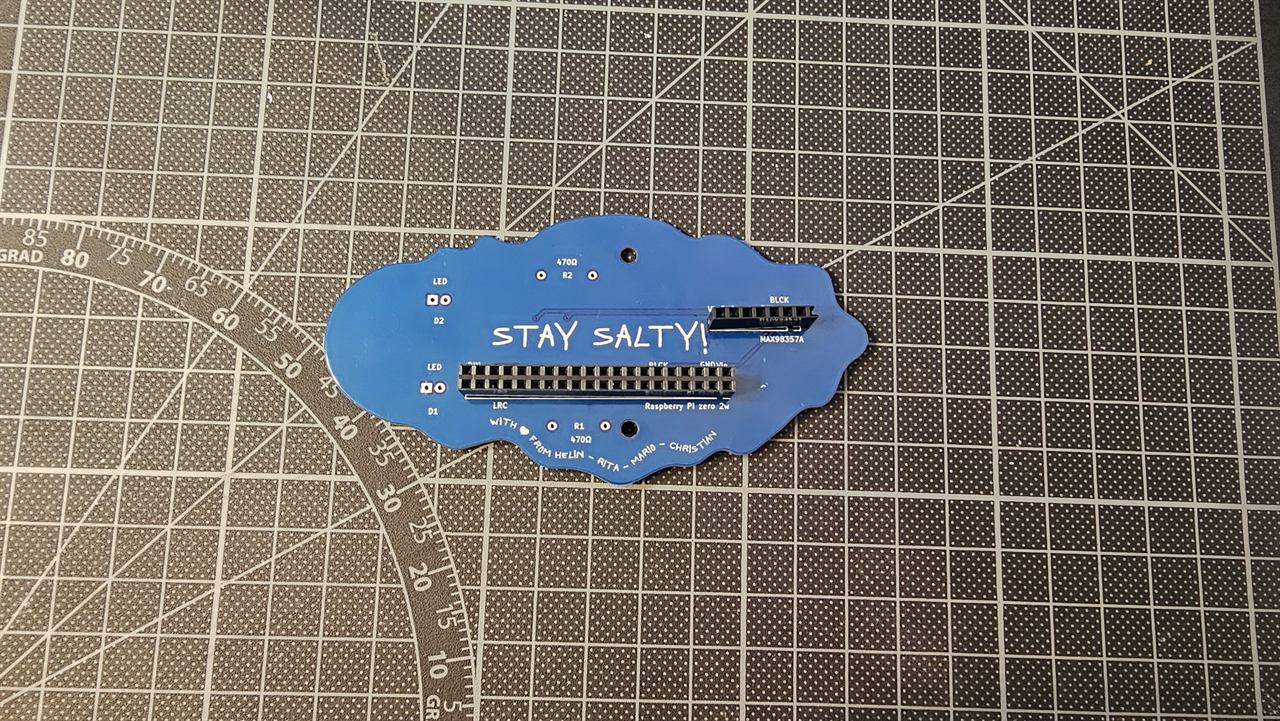
- Push the short 1×7 female socket into the holes labelled MAX98357A, also from the bottom side.
- Solder its 7 pins on the top side.
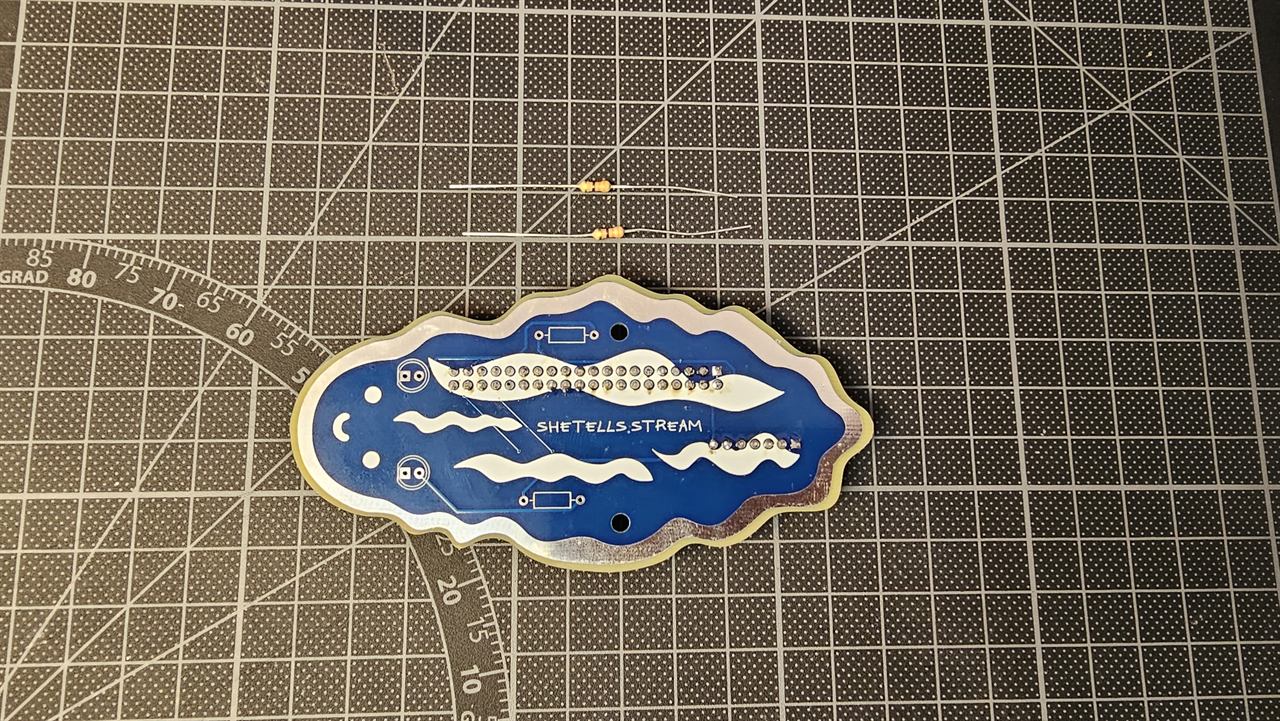
Step 4: Solder the resistors
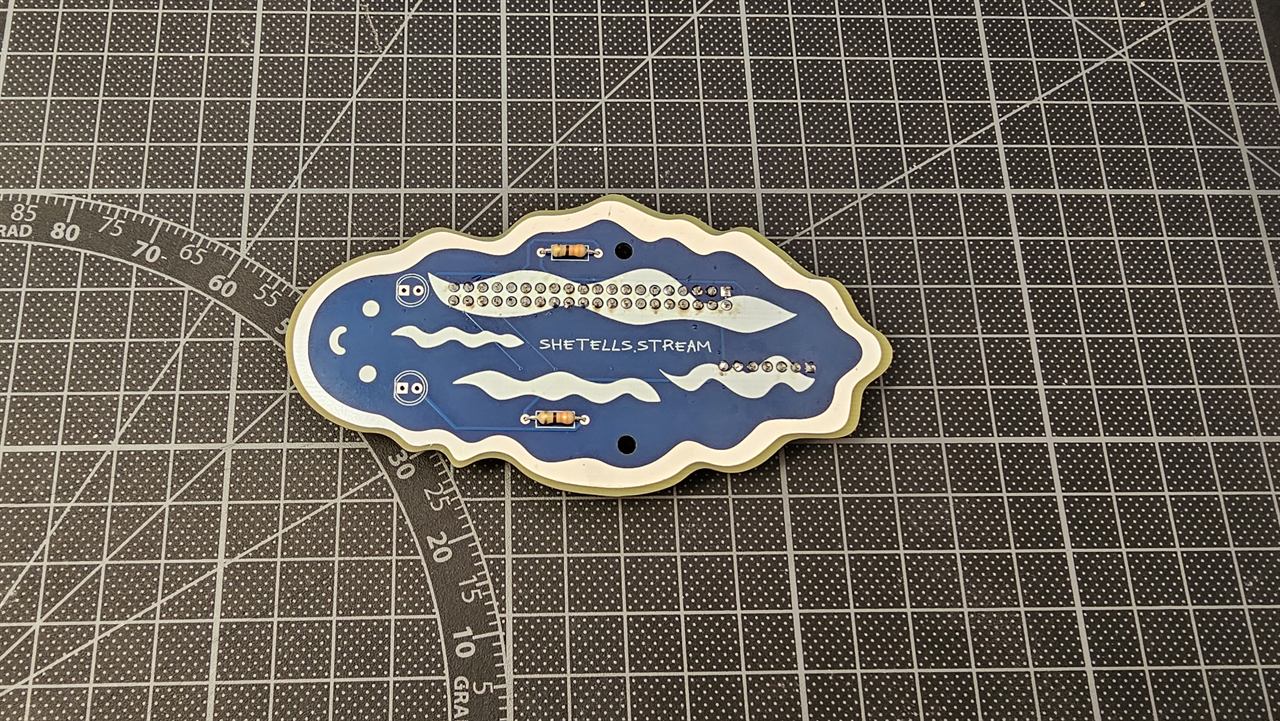
- Bend the legs of the two 470 Ω resistors and push them into the two rectangles on the top side (marked R1 and R2 on the bottom). Resistors have no direction, so either way round is fine.
- Solder them on the bottom side and cut off the extra legs.
Step 5: Solder the LEDs (the antennas)
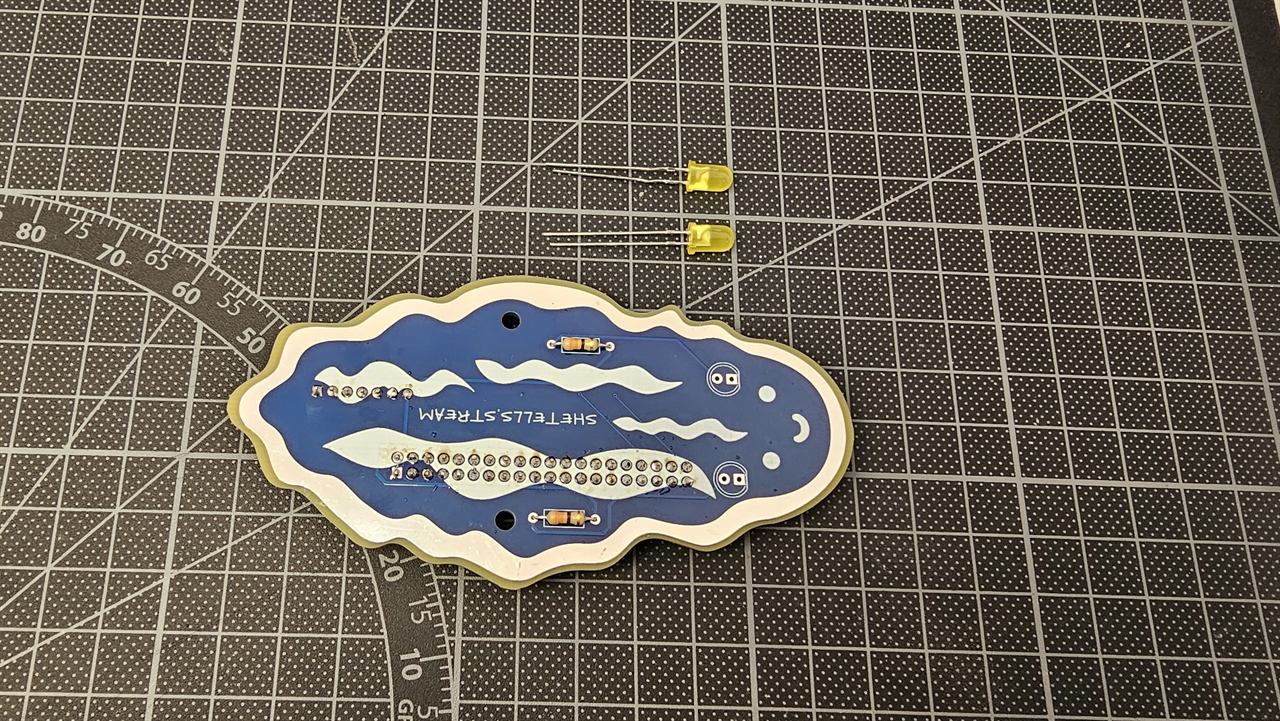
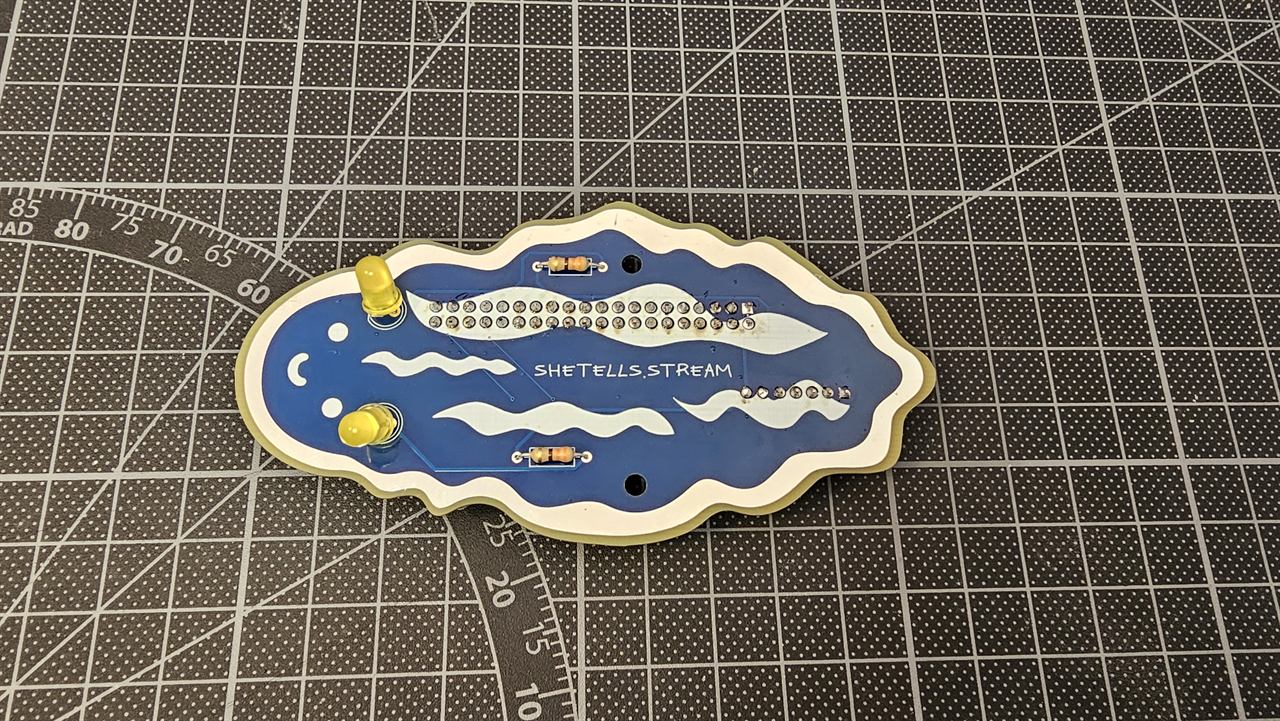
LEDs only work one way round:
- The long leg (+) goes into the round hole.
- The short leg (−) goes into the square hole. The flat edge on the LED's rim is on this side too.
- Push both LEDs into the two antenna positions at the snail's head, on the top side.
- Solder them on the bottom side and cut off the extra legs.
The antennas are wired straight to the power, so they light up whenever the Shellphone is switched on.
Step 6: Prepare the amplifier
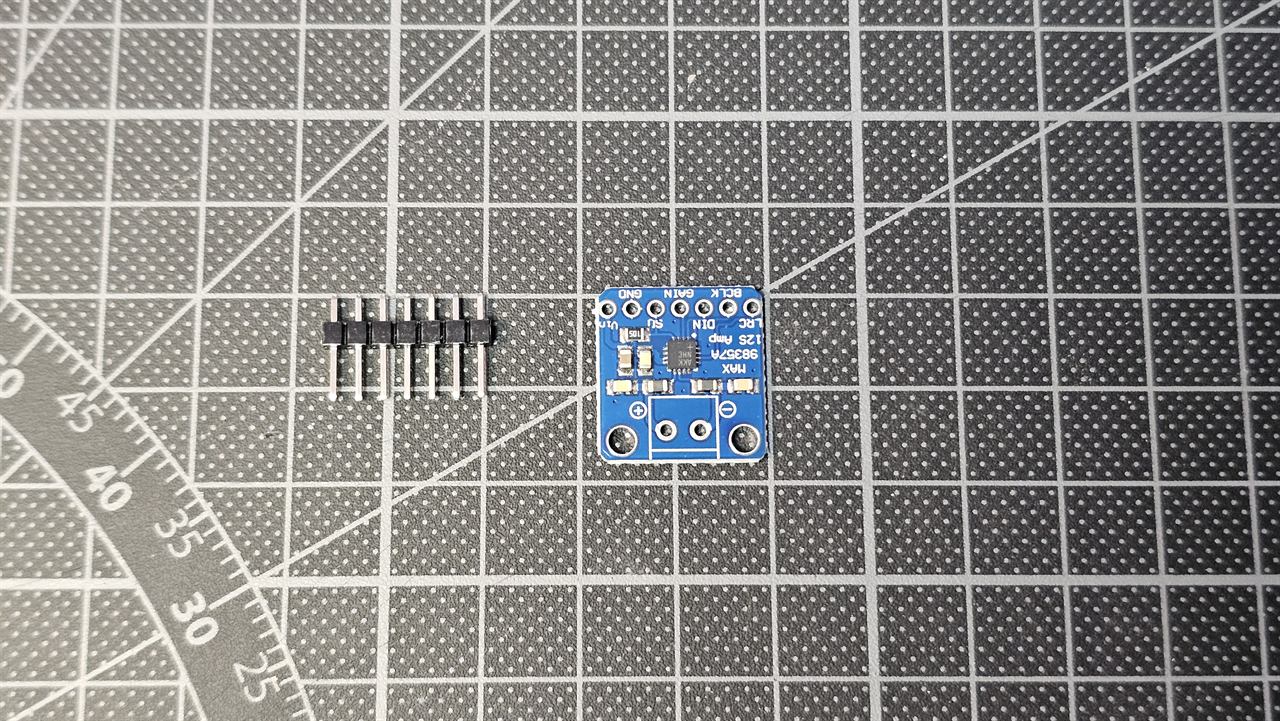
- Push the short ends of the 7-pin male header into the amplifier's row of holes (Vin, GND, SD, GAIN, DIN, BCLK, LRC), with the long pins pointing down, away from the printed side. Solder all 7 pins.
- Solder the 2-pin screw terminal into the two big holes marked + and − on the amplifier, with the screw openings facing outwards. (No photo of this step; you can see the blue terminal in step 7.)
Step 7: Plug in the amplifier and connect the transducer
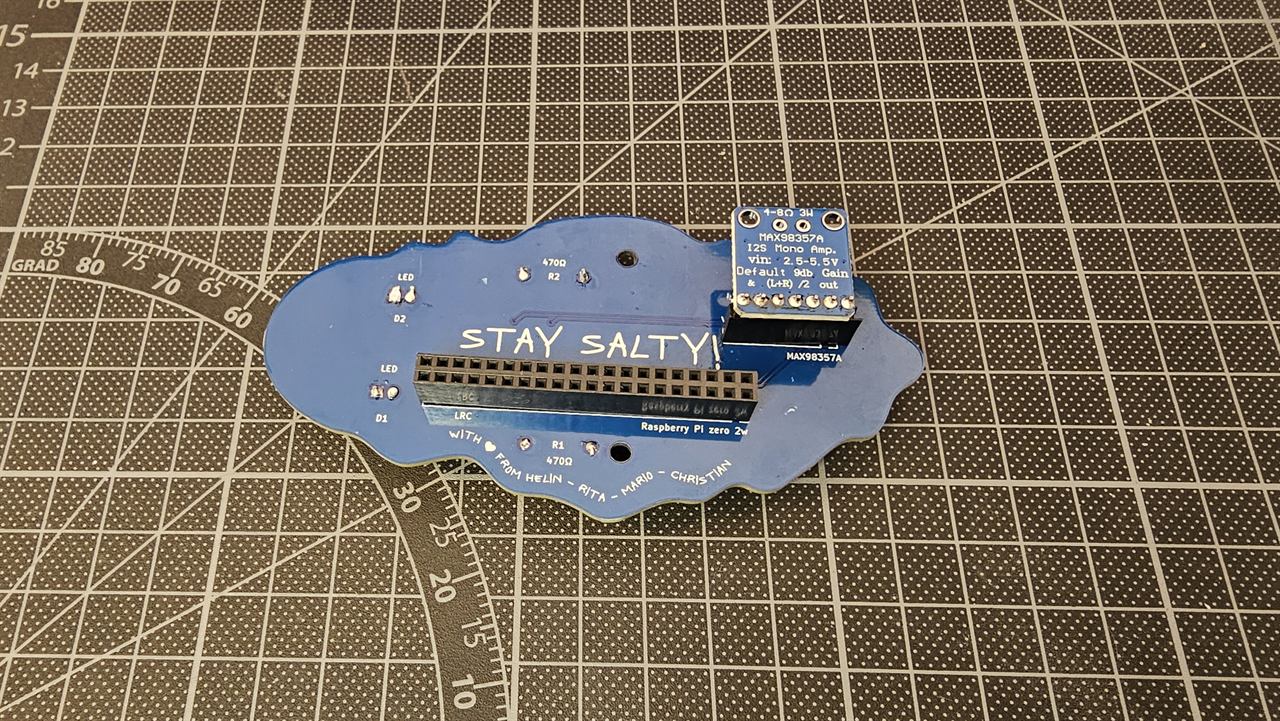
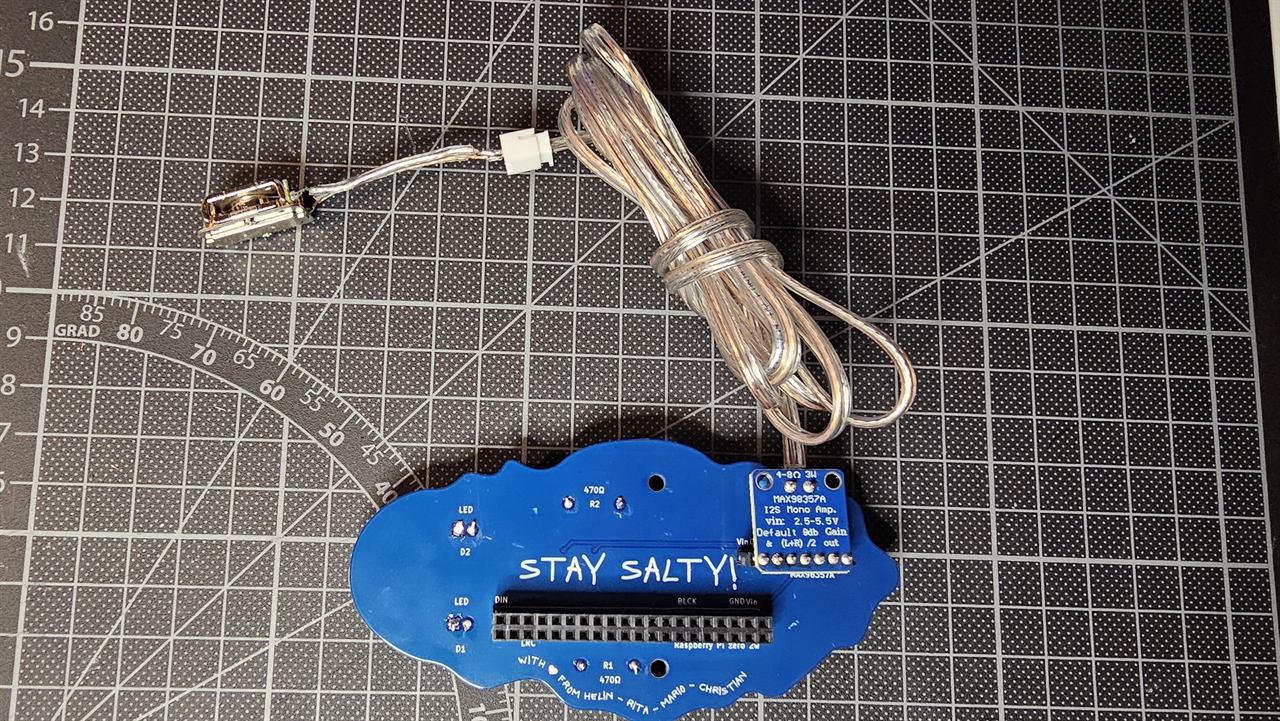
- Plug the amplifier into its socket on the bottom side. Match the pin names on the amplifier with the names printed next to the socket (Vin GND … DIN BCLK LRC). If they don't line up, turn it round.
- Screw the two wires of the speaker cable into the screw terminal (+ and −).
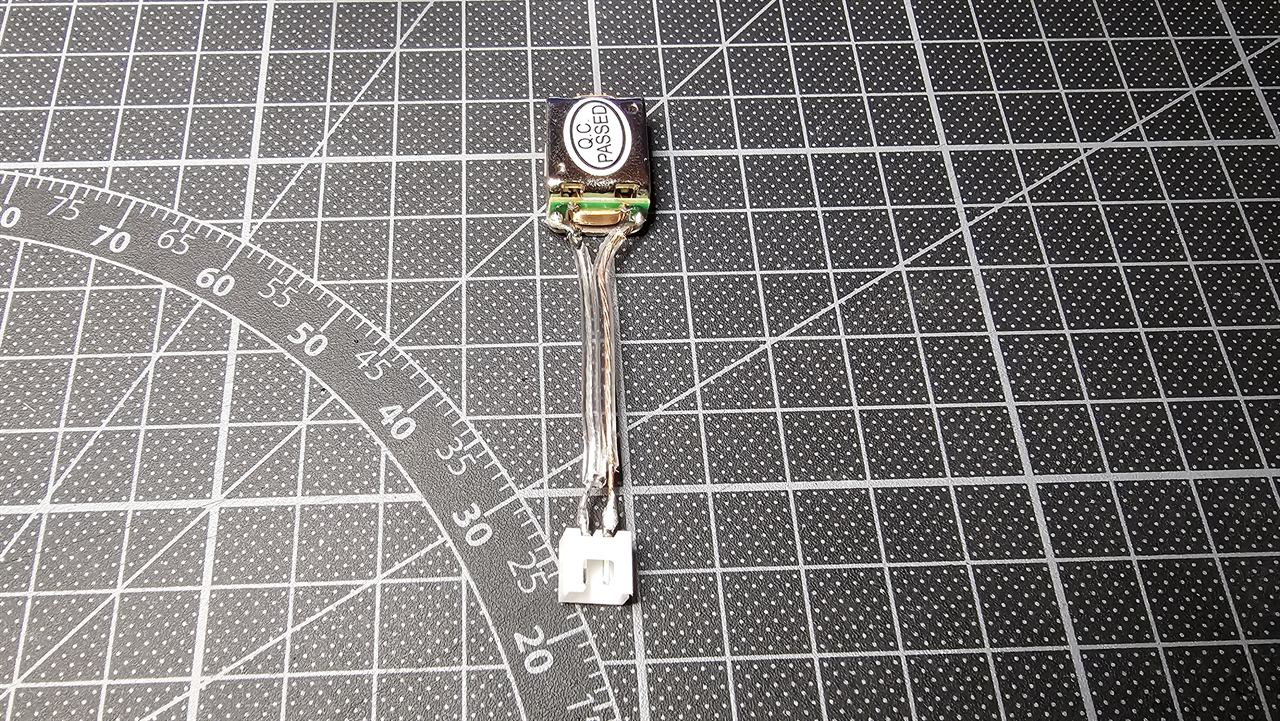
- Connect the white plug of the cable to the transducer.
Step 8: Insert the SD card and plug in the Pi
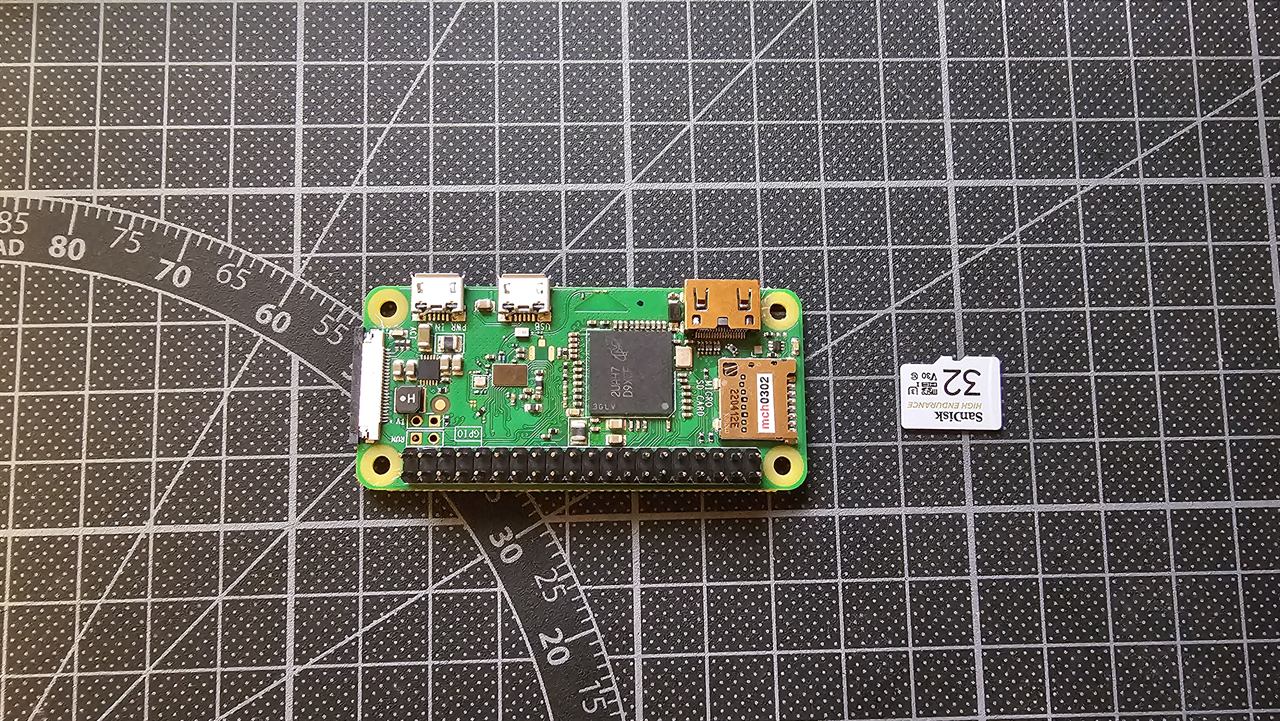
- Insert the pre-flashed SD card into the Raspberry Pi: the card slot is at one end of the Pi, and the card goes in with its label facing up.
- Plug the Pi's pins into the 2×20 socket on the bottom of the snail board. The Pi's chips face the snail board. Check that all 40 pins go into the socket and that it isn't shifted by one row.
Step 9: Glue the transducer into the shell
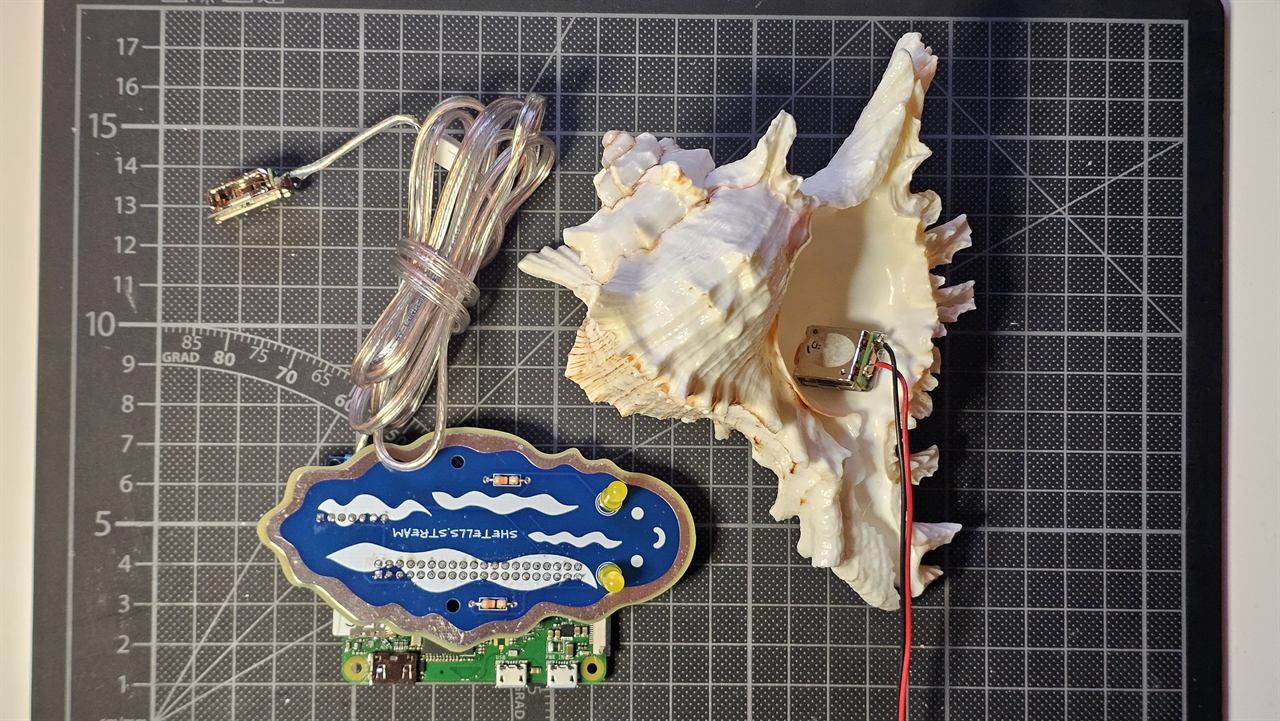
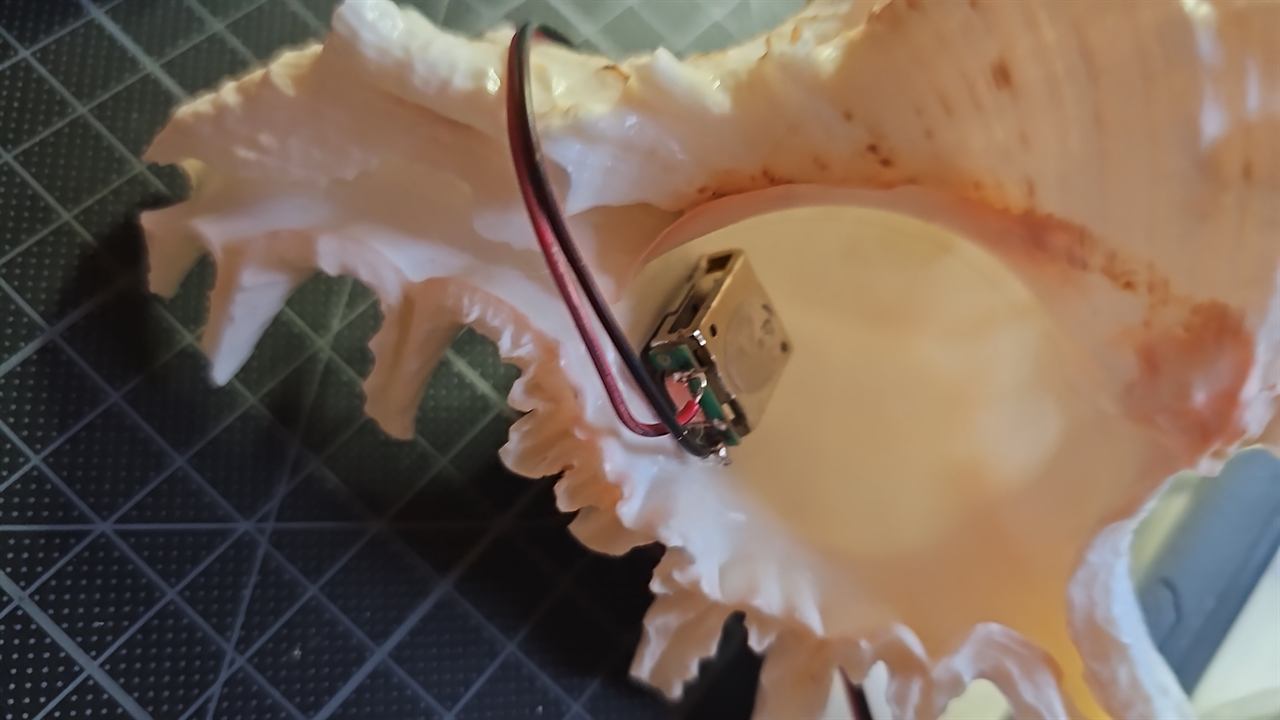
The transducer doesn't make sound on its own: it makes the shell vibrate, and the shell becomes the speaker.
- Find a smooth, solid spot inside the shell, where the transducer can lie flat with good contact.
- Glue it in place with hot glue. Press the flat face of the transducer against the shell while the glue sets, so it touches the shell directly.
- Lead the cable out of the shell's opening so it doesn't rattle.
Step 10: Power it on
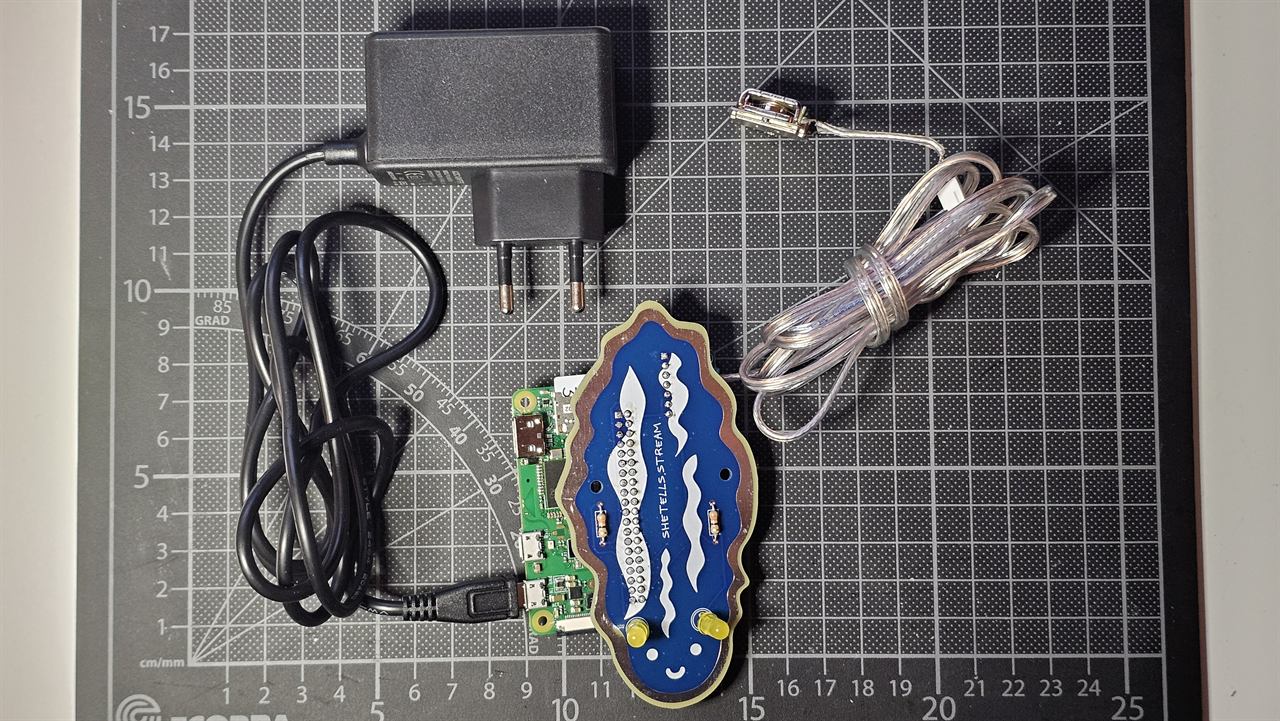
- Plug the 5 V power supply into the Pi's micro-USB port marked PWR IN: the port at the corner of the Pi, not the one in the middle.
- The snail's antennas light up straight away.
- Wait about 2 minutes. The Pi starts up, joins the Wi-Fi and starts playing. Hold the shell to your ear.
No sound after a few minutes? It probably isn't on a Wi-Fi it knows yet. Go to Wi-Fi setup.
Troubleshooting
| What you see | What to check |
|---|---|
| Antennas don't light up | Power supply plugged into PWR IN? Board pushed fully onto the Pi? LEDs the right way round (long leg in the round hole)? |
| Antennas light up, but no sound after 3 minutes | Wi-Fi: see Wi-Fi setup. |
| Connected to Wi-Fi, but no sound | Amplifier plugged in the right way round (pin names matching)? Speaker cable tight in the screw terminal? White plug pushed into the transducer? |
| Sound is very quiet | Is the transducer glued flat against the shell? Turn up the volume on the control page. |